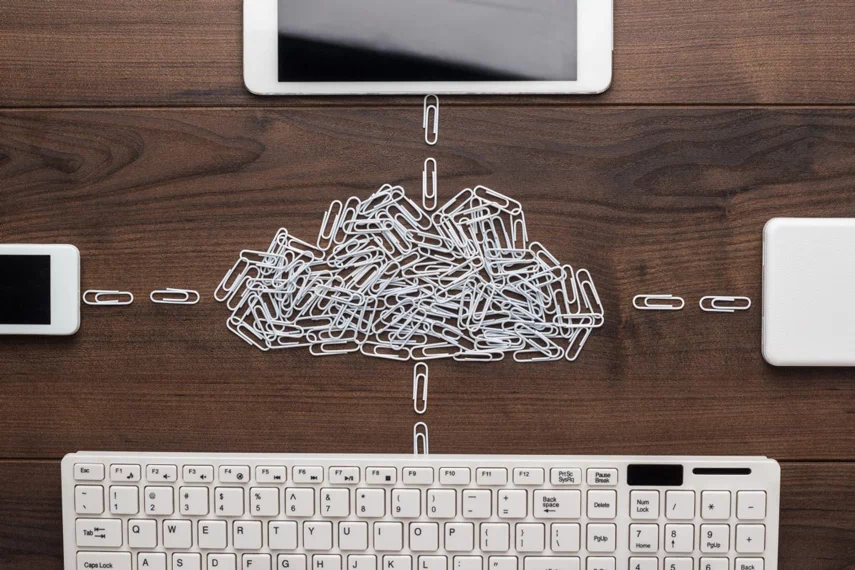

In reality, the cloud is IT somewhere else. Normally it is within a data centre that has redundant everything; generators, connectivity, servers, etc.Instead of your business relying on equipment sitting in a server room at your office, your systems and data can run from infrastructure housed in a professionally managed data centre. For a business, that can mean less reliance on physical hardware in the office and more flexibility in how your team works.
So what is the Cloud?
The simplest way to think about the cloud is that your files, software or other business systems are running on computers somewhere other than your own office. Those computers are housed in secure data centres and accessed over the internet. You might not know where the physical server is, but you can still access what you need from your laptop, phone or other device. In fact, you are probably already using the cloud without thinking about it. Microsoft 365 and Outlook, OneDrive and SharePoint, Google Drive, Xero, MYOB, Zoom and Microsoft Teams are all everyday examples.
Everyday cloud examples your team already uses
- Microsoft 365 / Outlook email
- OneDrive or SharePoint file storage
- Google Drive
- Xero or MYOB (accounting software)
- Zoom or Microsoft Team
How Does the Cloud Work?
The basic idea is fairly simple. With traditional on-premises IT, your business owns or leases physical equipment that sits in your office, and someone has to maintain it, replace it and keep it running. With cloud computing, much of that physical infrastructure sits in a professional data centre instead. You generally pay for what you use through a monthly subscription, and your staff can access the systems they need over the internet. The provider looks after the underlying hardware, while your business and IT team still have responsibilities around users, security, access and data.
| Old way (on-premises) | Cloud way |
|---|---|
| Server in your office | Server in a secure data centre |
| IT team manages hardware | Provider manages hardware |
| Pay upfront for equipment | Pay monthly subscription |
| Access only from the office | Access from any device, anywhere |
| You manage backups | Automatic backups included |
What Do Businesses Use the Cloud For?
Most businesses use the cloud for things they already rely on every day. Email and communication can run through Microsoft 365 and Teams. Files can be stored and shared through OneDrive or SharePoint. Accounting systems such as Xero and MYOB, along with CRM and other business applications, can also run in the cloud. Businesses also use cloud for business continuity – specifically backup and disaster recovery, which are related but not quite the same thing – plus remote work and video conferencing.
- Email and communication (Microsoft 365, Teams)
- File storage and sharing (SharePoint, OneDrive)
- Software and applications (CRM, accounting, ERP)
- Backup and disaster recovery
- Remote work and flexible access
- Video conferencing and collaboration
Is the Cloud Safe?
This is usually one of the first questions we hear from businesses considering the cloud. Reputable providers invest heavily in security, encryption, monitoring and compliance because they are protecting infrastructure used by thousands of organisations. Australian businesses should still do their homework, including checking where their data is stored and what certifications and security standards the provider meets, such as ISO 27001 or SOC 2.
The important thing to understand is that moving to the cloud does not mean security becomes someone else’s problem. Cloud security is a shared responsibility. The provider is responsible for protecting the underlying infrastructure, while your business still needs to control who has access, use strong passwords and multi-factor authentication, and make sure staff understand basic security practices. The cloud can provide a very secure foundation, but it still needs to be configured and managed properly.
What Happens If the Internet Goes Down?
Because cloud systems are accessed over the internet, a reliable internet connection becomes more important. If your primary connection goes down, staff may temporarily lose access to cloud applications and files, depending on the service. That is why we often recommend having a backup internet connection for businesses that rely heavily on cloud systems. It is a relatively simple way to reduce the impact of an internet outage. You can learn more about backup internet solutions and how they can keep your business connected. You can learn more in our guide to Backup Internet Solutions.
Cloud vs On-Premises: What’s the Difference?
For businesses weighing up cloud vs keeping servers on-site, the decision usually comes down to cost structure, control and risk tolerance. There is no universal answer, which is why it is worth looking at what you have today and what you actually need before making the decision. For a more detailed comparison, read our guide to Cloud vs Local Backup.
Why do you want to consider Cloud Services?
Our experience with our customers is that when it is time to replace their servers the sheer size of the project scares them. The cost, the time it will take and the impact on their business means that they often delay replacement and placing their business at greater risks around hardware failure.
Cloud services allow businesses to leverage enterprise-scale infrastructure in a simple manner often with a single monthly fee.
Whether you use the cloud for basic business purposes like email or high-end ERP software, or even using cloud for backup and recovery, the ability to leverage large scale infrastructure gives all businesses a multitude of options.
The greatest value that the cloud can provide businesses is around continuity following a business disaster. Previously, a business that had their servers in their offices needed to manage their own backups including the transferring of backups off-site as well as the regular testing of the recovery of the backups. And then should a disaster occur find a way to make the last working backup available.
Using cloud services for back-up and recovery can dramatically reduce the impact of data loss and unavailability to staff, lessening the impact on customers and your revenue.
Ready to Understand What the Cloud Means for Your Business?
If you are simply trying to understand what the cloud means, that is a good place to start. If you are considering moving systems to the cloud, we can help you work through what makes sense for your business, what does not, and where to start.