
Most businesses now rely on a long list of connected devices. Laptops, phones and tablets, and less obvious ones like printers, smart TVs and security cameras. Every one of them is a possible way into your systems, and the more you have, the easier it is for one to slip through the cracks.
Unmanaged devices are among the most overlooked gaps in small business IT. A personal phone, an old laptop in the meeting room or a contractor’s machine on your Wi-Fi can look harmless. Yet each one can sidestep the protections you’ve put in place for everything else.
What are unmanaged devices? Unmanaged devices are computers, phones, tablets or connected gadgets that reach your business network or data without being set up, updated and overseen by your IT team or IT provider. They can be personal or company-owned. Because nobody keeps them updated or checks their settings, they’re one of the easiest ways in for attackers.
What Are Unmanaged Devices?
An unmanaged device is any device, personal or company-owned, that connects to your network or company data without anyone looking after it. Nobody is making sure it’s updated, encrypted, locked with a passcode or covered by your company policies.
| Device | Typical example | Why it slips through |
|---|---|---|
| Personal smartphones | Staff checking work email on their own phone | Set up once, never reviewed |
| Old laptops | A retired laptop still on the meeting-room Wi-Fi | Forgotten after an upgrade |
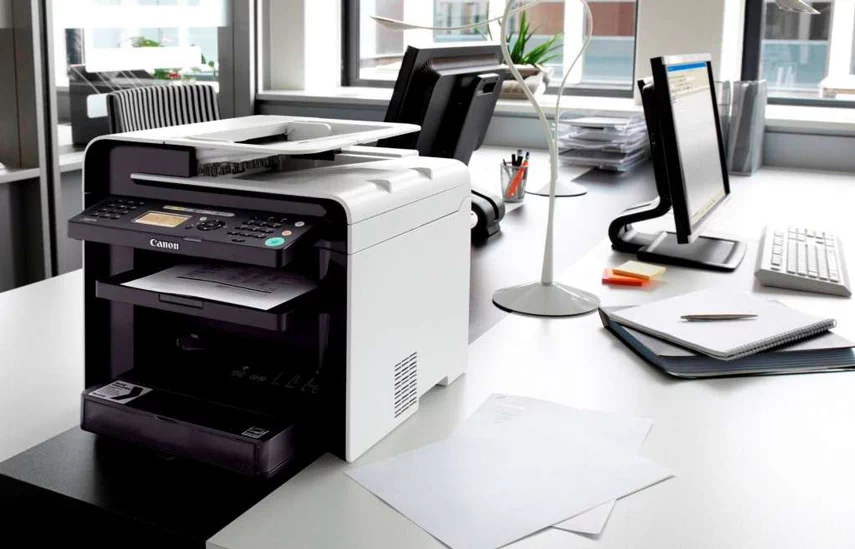
| Printers and smart devices | Printers, smart TVs, cameras, door systems | Rarely updated, often left on default settings |
| Guest and contractor laptops | A consultant on-site for a week | Never seen by IT |
| Home computers | A family PC used to “just finish a report” | Shared with others, security unknown |
Managed devices are kept up to date, have security settings applied and follow company policy. Unmanaged devices don’t, and that gap is exactly what attackers look for.
Why Are Unmanaged Devices are a Risk?
1. Outdated Security
Unmanaged devices often run old operating systems or apps that no longer receive security fixes, which makes them easy targets for known attacks. Windows 10 reached end of support in October 2025. Any older laptop still running it without extended security updates is now a growing risk.
2. Lack of Monitoring
If nobody knows a device exists, nobody notices when it’s infected, lost or behaving strangely. Problems can go undetected for months before they show up somewhere else.
3. Shadow IT
Unmanaged devices often carry apps and browser extensions nobody has reviewed. Because you can’t see the device, you can’t check what’s installed on it or remove anything risky. The wider issue of staff using unapproved apps on any device is covered in our guide to shadow IT.
4. Data Leakage Risks
Personal devices may not be encrypted or locked with a passcode, so company files on them are exposed if the device is lost, stolen or sold. When the person leaves the business, that data often leaves with them.
What Can Go Wrong?
In its 2025 Digital Defense Report, Microsoft found that 40% of successful ransomware compromises originated through unmanaged devices.
- Ransomware entry point – A single unmanaged device can be the way ransomware gets in, leading to costly downtime or permanent data loss.
- Privacy and regulatory exposure – If customer or financial data is exposed through an unmanaged device, your business may have obligations under the Privacy Act. That can include notifying affected people under the Notifiable Data Breaches scheme, if your business is covered.
- Unplanned disruption – Malware from one device can spread to shared drives and systems, causing outages, lost productivity and damage to your reputation with clients.
Personal Phones and BYOD: Protect the Data, Not the Whole Device
Bring your own device (BYOD) is normal in small businesses: most staff check email or Teams on their own phone. The goal isn’t to ban it. It’s to make sure company data on those phones is protected, without taking control of people’s personal devices.
Is BYOD safe for small businesses? BYOD can be safe when company data is protected on the device. Depending on your Microsoft 365 plan, you can require a PIN on work apps, stop work data being copied into personal apps, and remove company data from a lost or departing employee’s phone without touching their personal photos or messages.
Company-Owned vs Personal Devices
| Company-owned device | Personal device (BYOD) | |
|---|---|---|
| Who controls it | The business | The employee |
| What gets managed | The whole device | Work apps and data only |
| If it’s lost | Lock or wipe the whole device | Remove company data only |
| When someone leaves | Device is returned and reset | Work data is removed from their phone |
| Best for | Laptops and shared devices | Phones used for email and Teams |
What a simple BYOD policy should cover
- Which devices can access company email, files and Teams
- Minimum standards: a passcode, up-to-date software, no jailbroken or rooted phones
- Multi factor authentication on every work account
- What the business can and can’t see or remove on a personal device
- What happens to work data during offboarding
- How to report a lost or stolen device, and how quickly
If your team is about to connect phones for the first time, start with our guide to setting up work email on a phone. Not sure how many devices can reach your business data? We can review the laptops, phones and other devices connecting to your systems and recommend practical next steps.
How to Bring Unmanaged Devices Under Control
How do you manage unmanaged devices? List every device that can reach your data. Allow access only from devices that meet basic standards. Use mobile device management for company devices and for work apps on personal phones. Retire old devices properly, and make sure staff know what’s allowed.
1. Find and list every device
Start with a simple inventory: who has what, and what each device can access. Network scanning tools and your Microsoft 365 sign-in records can reveal devices you didn’t know about.
2. Allow access only from devices you trust
Limit company email, files and systems to devices that meet your minimum standards. Require multi-factor authentication on every work account, so a stolen password alone isn’t enough.
3. Use mobile device management (MDM)
MDM lets you apply encryption, passcodes and remote wipe to company devices, and protect work apps on personal phones. Many small businesses can use device management in Microsoft 365, depending on their plan. MDM works alongside endpoint security, which protects the devices themselves from threats.
4. Retire old devices properly
When a laptop or phone is replaced, wipe it, remove it from your network and accounts, and dispose of it securely. Don’t leave it sitting in a drawer or meeting room, still signed in.
5. Keep your team in the loop
Make staff aware of the risks. A quick reminder not to plug in unknown USB drives, connect personal gadgets to the office network, or keep work files on home computers goes a long way.
6. Work with Insight IT
We can review the devices connecting to your business, recommend what should be managed and how, and set up device management in Microsoft 365. If you need ongoing device updates or additional security tools, we’ll explain those options clearly as separate services, so you only add what you need.
Don’t Let Silent Risks Catch You Off Guard
Unmanaged devices don’t come with warning signs, but the damage they can cause is very real. An old tablet that hasn’t been updated in years or a contractor’s laptop with no protection are exactly the entry points modern threats rely on.
The good news is that most of these gaps can be closed with a clear device list, a sensible BYOD policy and the right settings, without making work harder for your team.
Need a second opinion on the devices connecting to your business? Book a free, no-pressure chat with our team. We’ll review your devices and BYOD setup and give you practical recommendations that suit how you work.
FAQs
A managed device is set up, updated and overseen by your IT team or provider, with security settings and company policies applied. An unmanaged device connects to your systems or data without any of that oversight.
Usually, yes. A personal phone used for work email or Teams is unmanaged unless work apps on it are protected through device or app management.
The main BYOD security risks are lost or stolen phones holding company data, outdated software, unreviewed apps, and work data staying on the device after someone leaves. A clear BYOD policy and app protection reduce most of them.
A BYOD policy should cover which devices can access company data, minimum standards such as a passcode and current software, multi-factor authentication, what the business can remove from a personal device, and how to report a lost phone.
It doesn’t need to. With app-level management, a business can remove only company email and files from a personal phone, leaving personal photos and messages untouched.
They can. Any connected device that isn’t kept updated or reviewed is an unmanaged device, and printers and smart devices are often left on old software or default settings.